
KALIFX PS Calculator EA
v1.4 • Updated Jun 2026
Get 7 days free demo
KALIFX PS Calculator EA – Risk & Lot Size Tool
KALIFX PS Calculator EA is a chart-based utility designed to help traders calculate position size and manage risk directly from a simple on-screen panel. It provides a structured way to define trade parameters and view calculated results before placing an order.
Key Features
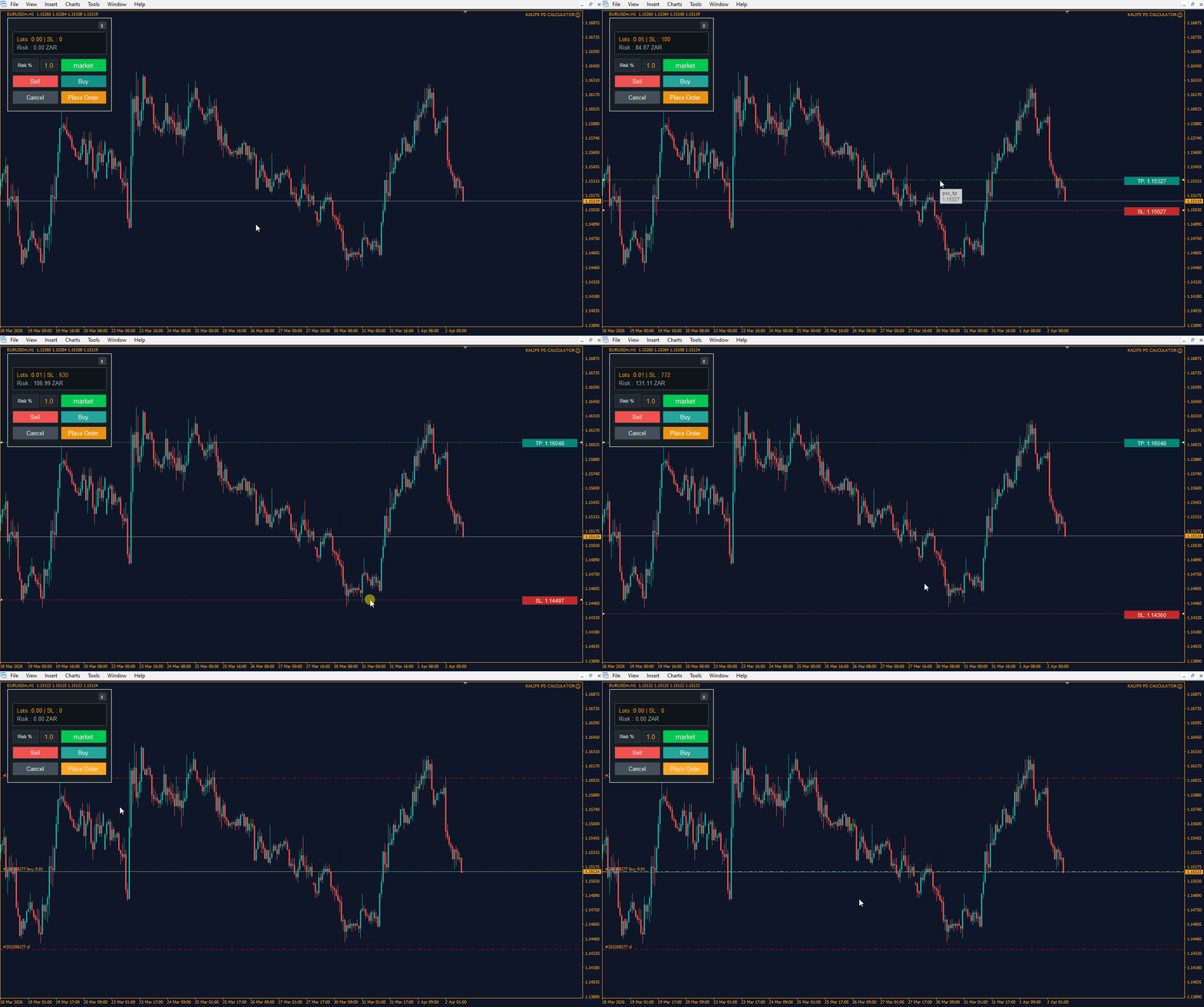
- On-Chart Control Panel: Manage all inputs and actions from a compact interface on the chart.
- Mode Switching: Toggle between Risk % and Fixed Lot modes.
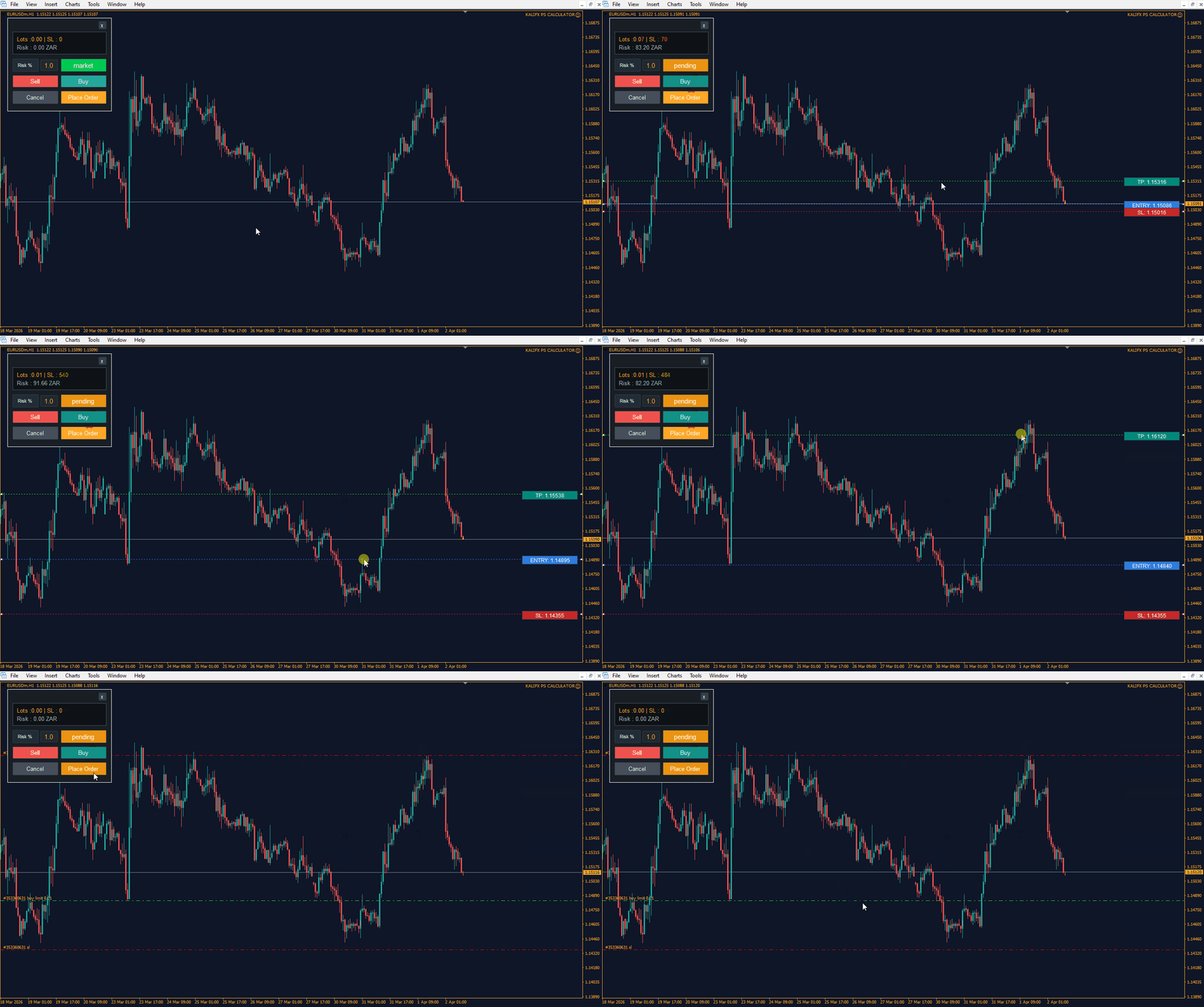
- Order Type Selection: Switch between Market and Pending orders.
- Buy & Sell Controls: Dedicated buttons for executing trade direction.
- Place & Cancel Actions: Easily confirm or cancel trade setup from the panel.
- Live Calculation Display: View calculated lot size, risk, and trade details in the results panel.
- Chart-Based Price Levels: Entry, Stop Loss, and Take Profit levels are managed directly on the chart.
Input Parameters
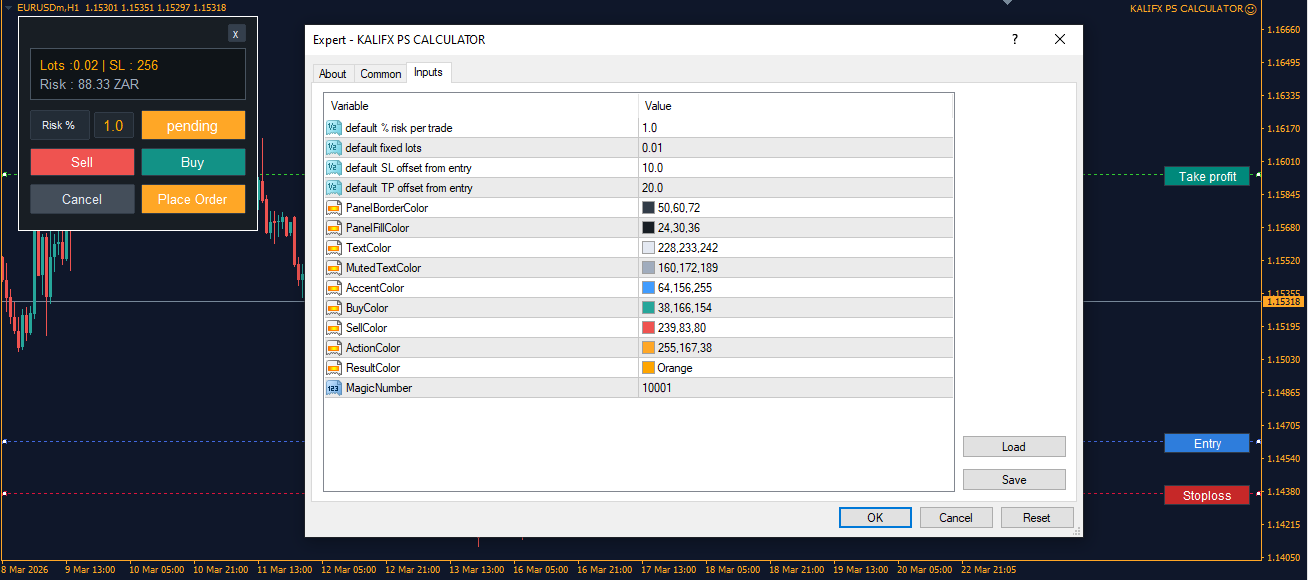
Panel Controls
- Mode – Select Risk % or Fixed Lot.
- Risk % / Lot Size – Input value based on selected mode.
- Order Type – Market or Pending.
- Buy / Sell – Choose trade direction.
- Place Order – Execute the trade.
- Cancel – Reset or cancel the current setup.
Chart Levels
- Entry Price – Entry level.
- Stop Loss – Defines risk distance.
- Take Profit – Optional target level.
💡 How It Works
- Attach the EA to a chart.
- Set Open, Stop Loss, and Take Profit levels on the chart.
- Select calculation mode (Risk % or Fixed Lot).
- Choose order type (Market or Pending).
- Review the calculated results in the panel.
- Use Buy or Sell, then press Place Order to execute, or Cancel to reset.
Notes
- Calculations depend on the symbol and broker specifications.
- Results update based on current chart levels and input values.
- The EA is intended for trade planning and execution from a single panel interface.
Tip
For smoother updates while adjusting levels, use the EA on an active symbol where price updates are frequent.
Format • ex4 • ex5